+91 8344 08 1111
info@rioinfotech.in
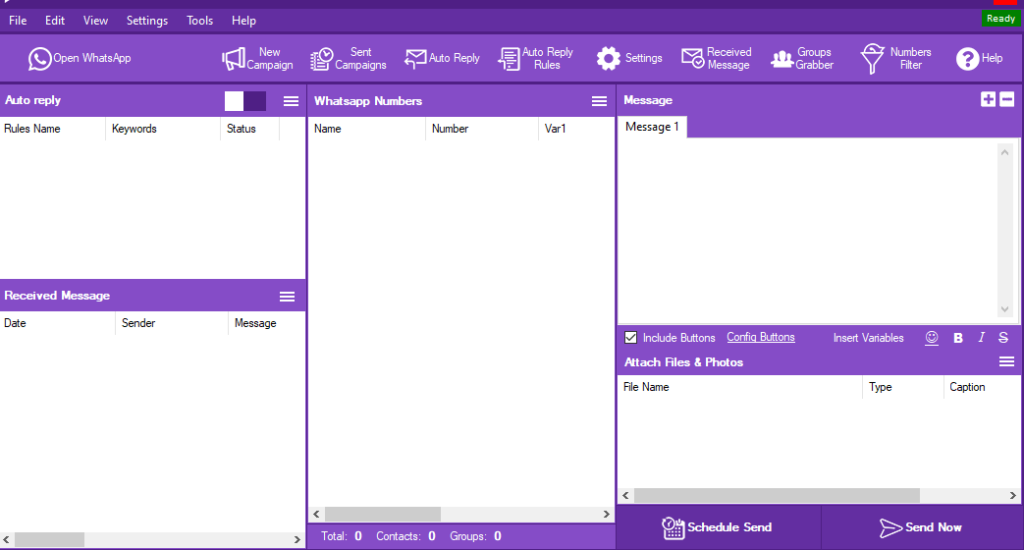
Rio Button Sender is a software tool to make an immediate action from your customers.This tool has two types of button.
They are
This option logged you in by scan the QR code in your WhatsApp from linked device.
By the use of this option we can start a fresh campaign.
You can check the previous action by the use of Sent Campaign option.
This auto reply option leads you to reply automatically to your customers.
Just you need to feed the content previously like
This option is to done the future updates.
This settings option play a major role in this software There were 3 types of settings like:
Here We put on title and follows through the body and footer title. After we select the Reply Buttons.
We create a immediate action for what we need like Intersted or not, Notify me etc…
Here We put on title and follows through the body and footer title. After we select the Action Buttons.
We create a immediate action for what we need like phone call,Call now or Visit us etc…